

A new update is available for Events Manager by XenCustomize.
Events Manager 2.3.5
Update highlights
Events Manager v2.3.5 is now available for download.
This update introduces a powerful new feature allowing event organizers to send notifications to attendees, including those marked as "Maybe." With this update, you can now keep participants informed through email alerts, along with a simple and intuitive interface for sending notifications.
Additionally, we've enhanced the event location field, supporting both address-based and place name searches for a more flexible event venue selection.
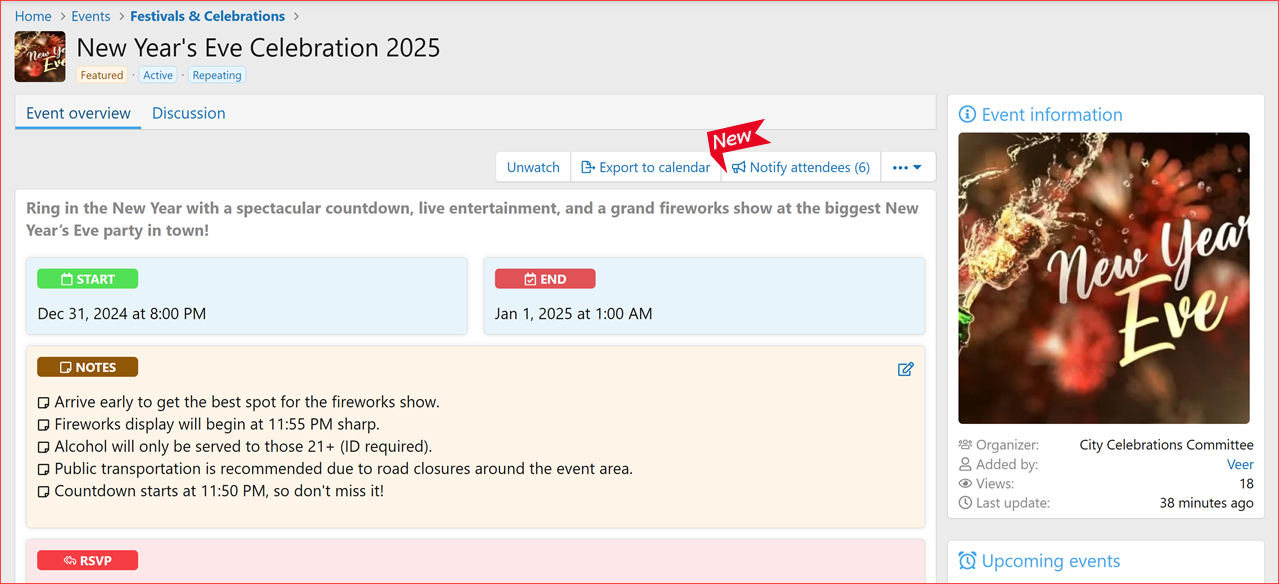
On event page, there is now a new button "Notify attendees". This button appears only when all the following conditions are met:
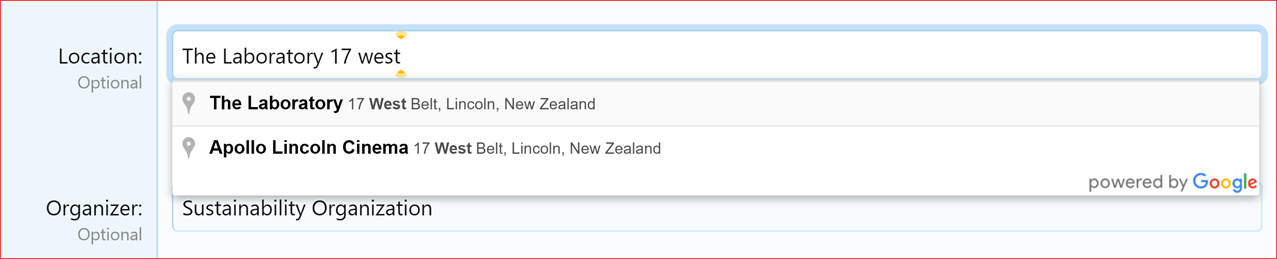
We have adjusted the location autocomplete function to allow searching by both address and place names. With this change, you should now be able to add locations such as football clubs and your meeting place, "The Laboratory," using just the name.
Liked this update? Please leave a Rating on XenForo! Or on XenCustomize!
Complete Change Log
Read more about this product...
Events Manager 2.3.5
Update highlights
Events Manager v2.3.5 is now available for download.
This update introduces a powerful new feature allowing event organizers to send notifications to attendees, including those marked as "Maybe." With this update, you can now keep participants informed through email alerts, along with a simple and intuitive interface for sending notifications.
Additionally, we've enhanced the event location field, supporting both address-based and place name searches for a more flexible event venue selection.
New Features and Enhancements
- Notify Event Attendees: (Suggested by @Galactica)
- Added the ability to send notifications to attendees and those marked as "Maybe."
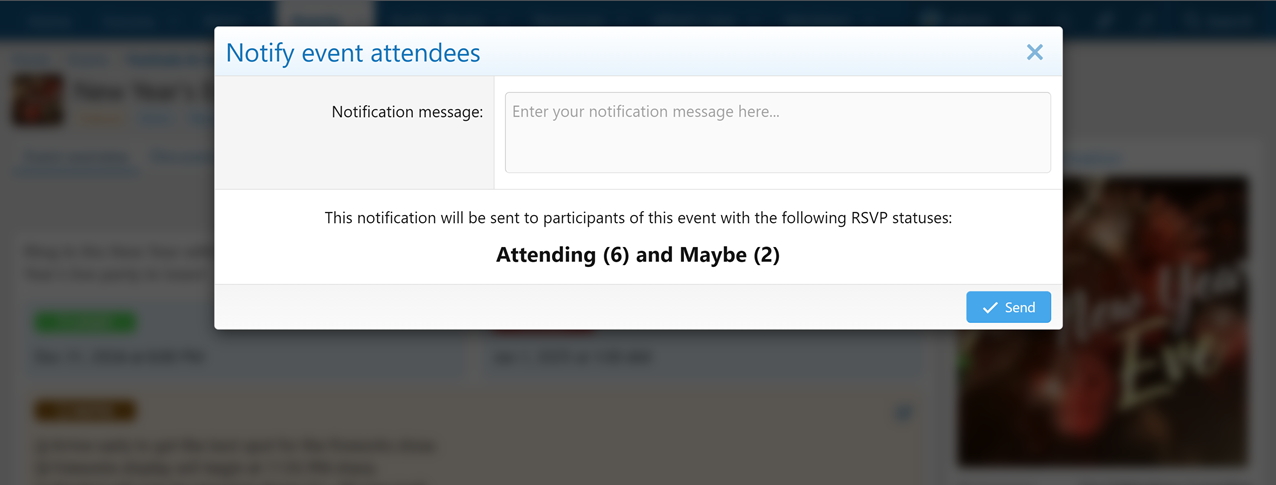
- Included participant info, showing the number of attendees and "Maybe" responses before sending notifications for clear communication.
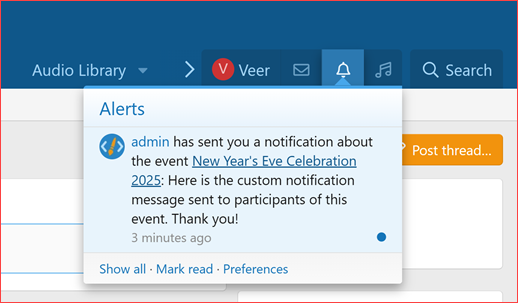
- Integrated a comprehensive alert system with email notifications, allowing you to keep participants informed promptly and efficiently.
- Intuitive interface for sending notifications, making the process straightforward and efficient.
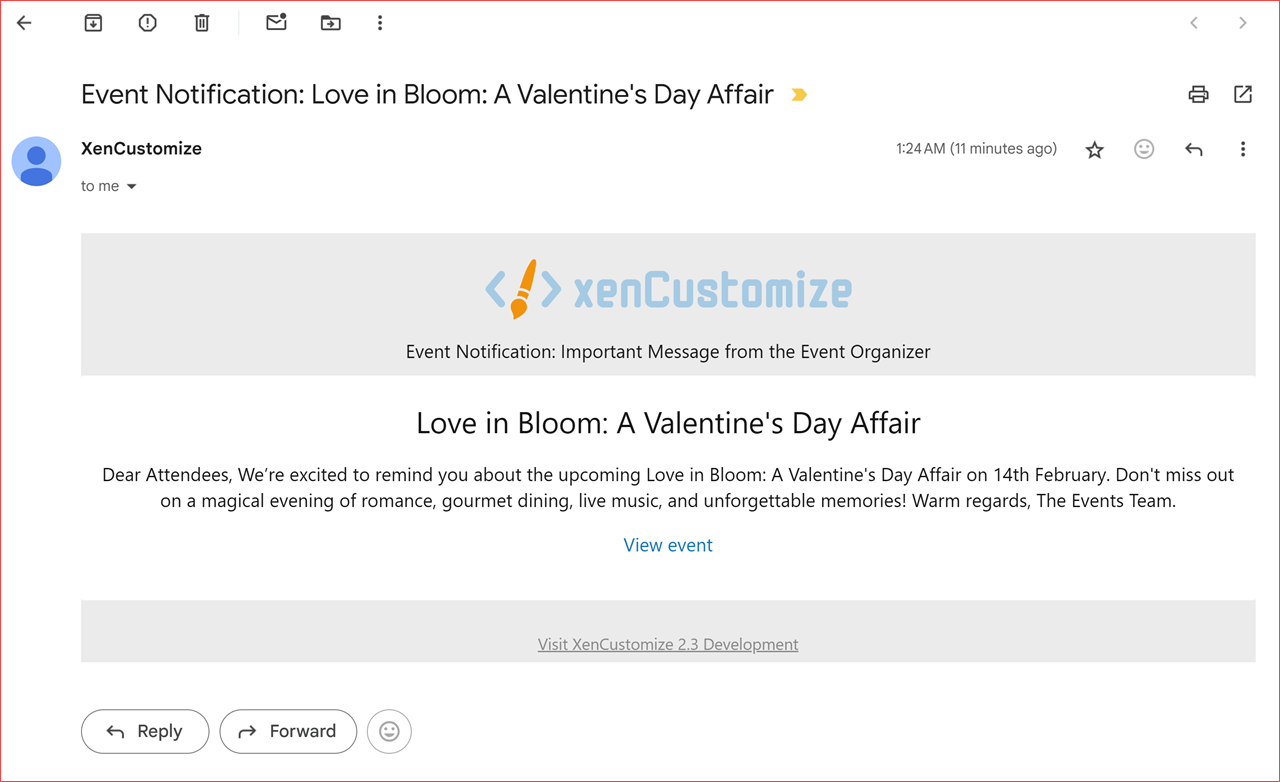
- Created new alert and email templates specifically tailored to this notification feature, ensuring clear and professional communication.
- Event Location Field Update: (Suggested by @Optrex)
- Enhanced the location autocomplete to support both address-based (geocode) and place name (establishment) searches, allowing for more flexible place selection, such as football clubs and meeting venues.
Bug Fixes
- Added missing phrases:
- xcu_em_requested_event_not_found
On event page, there is now a new button "Notify attendees". This button appears only when all the following conditions are met:
- Event is Visible: The event’s state must be set to "visible," meaning it is publicly accessible and not hidden or pending approval.
- Permission to Notify Attendees: The user viewing this button must have permission to notify attendees (Only admins and event creators).
- Attendees Exist: The event must have at least one confirmed attendee.
Notify attendees button
Notify event attendees overlay
Example alert
Example email
We have adjusted the location autocomplete function to allow searching by both address and place names. With this change, you should now be able to add locations such as football clubs and your meeting place, "The Laboratory," using just the name.
Example
Liked this update?
Please leave a Rating on XenForo! Or on XenCustomize!Complete Change Log
New Features and Enhancements
- Notify Event Attendees: (Suggested by @Galactica)
- Added the ability to send notifications to attendees and those marked as "Maybe."
- Included participant info, showing the number of attendees and "Maybe" responses before sending notifications for clear communication.
- Integrated a comprehensive alert system with email notifications, allowing you to keep participants informed promptly and efficiently.
- Intuitive interface for sending notifications, making the process straightforward and efficient.
- Created new alert and email templates specifically tailored to this notification feature, ensuring clear and professional communication.
- Event Location Field Update: (Suggested by @Optrex)
- Enhanced the location autocomplete to support both address-based (geocode) and place name (establishment) searches, allowing for more flexible place selection, such as football clubs and meeting venues.
Bug Fixes
- Added missing phrases:
xcu_em_requested_event_not_found.
Read more about this product...
Last edited:


