

Events Manager version 1.2.3 is now available for all licensed customers to download. In this update, we've implemented numerous new features and improvements, thanks to the funding provided by @requo. Additionally, we've addressed several bugs reported through our support forum.
 New features & improvements
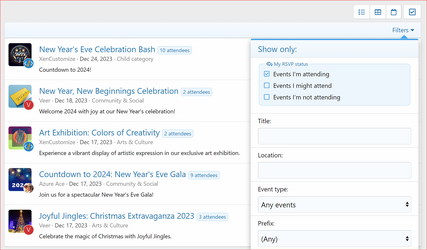
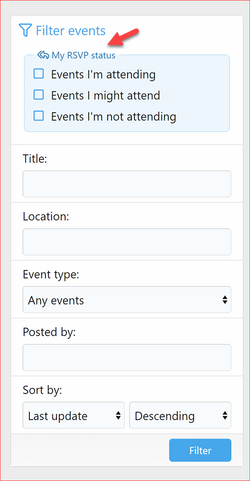
- Filter Events by RSVP Status:
- Users can now filter events in List and Card Grid display modes based on their RSVP registration status. (Suggested and funded by @requo)
- Events I'm attending (Filter RSVP Status "Attending")
- Events I might attend (Filter RSVP Status "Maybe")
- Events I'm not attending (Filter RSVP Status "Not Attending")
- Max Events Per User Permission:
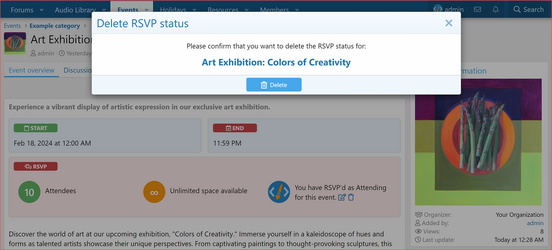
- Delete RSVP Registration Status:
- Can Add Repeating Event Permission:
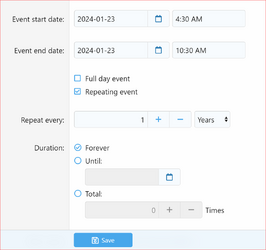
- Added a new user group permission "Can add repeating event" to enable inserting repeating events. (Suggested and funded by @requo)
- Users with permission can see "Repeating options" on event create and edit forms.
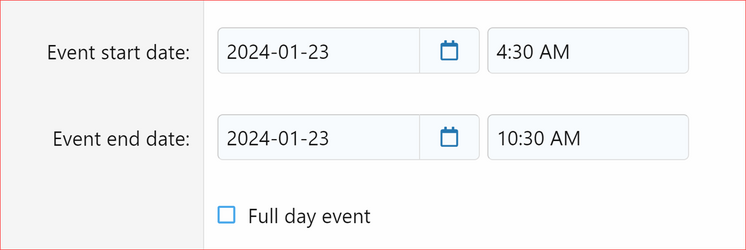
- Users without this permission cannot set "Repeating options" on event create and edit forms.
- Hide Custom Fields Section:
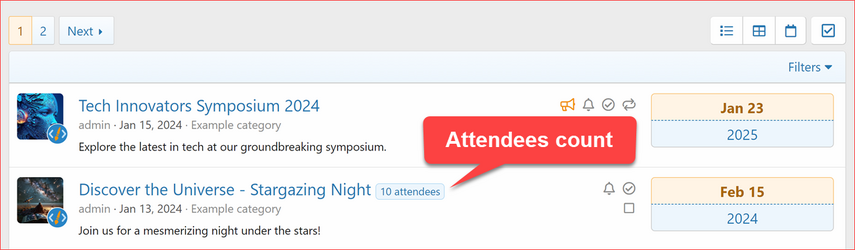
- Display Attendees Count:
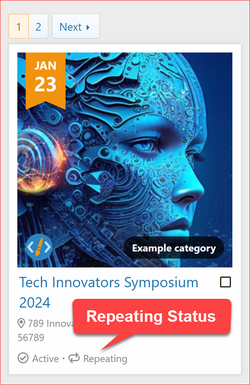
- Display Repeating Status:
- Repeating status is now displayed in both list and grid display modes. (Suggestion)
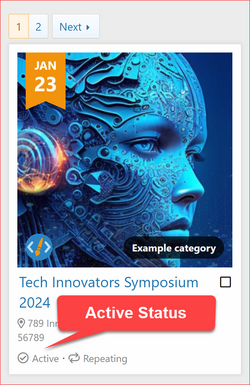
- Display Event Active Status:
- Event active status is also displayed in grid display mode. (Suggestion)
 Changes:
- Updated the 'Upcoming Events' widget title link to use the Card Grid display mode by default for event lists. (Suggested by @requo)
- Added post upgrade script to auto apply the following new user group permissions:
- Add Repeating Event
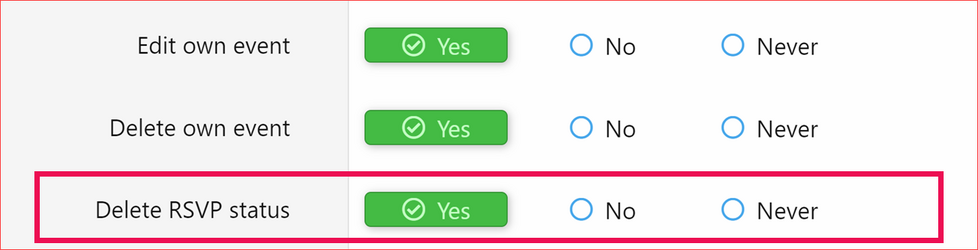
- Delete RSVP Status
- Max Events Per User (This permission needs to be adjusted manually)
 Bug fixes
- Fixed missing phrases for translation in the calendar. (Reported by @requo)
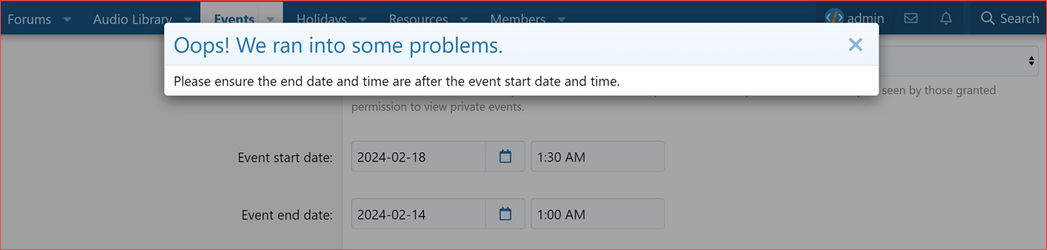
- Fixed an issue where the event creator could enter an earlier end date of the event than the start date. (Reported by @requo)
- Displays a friendly error: "Please ensure the end date and time are after the event start date and time."
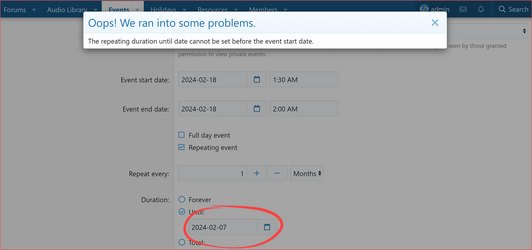
- Fixed an issue where the event creator could enter an earlier repeating end date of the event than the event start date. (Reported by @smallwheels)
- Displays a friendly error: "The repeating duration until date cannot be set before the event start date."
 Upgrade Notes
- When upgrading please ensure that you
 the "Overwrite existing files for add-on rebuilds / upgrades" option.
 - If uploading files using an FTP or file manager, you have to overwrite all files.
- After upgrading, please make sure to revert the modified templates to ensure the changes take effect.
- Additionally, adjust the new user group permissions.
Attachments
-
 XenCustomize-Events-Manager-v123-Filter-Events-Menu-My-RSVP-Status.png309.9 KB · Views: 766
 -
 XenCustomize-Events-Manager-v123-Filter-Events-My-RSVP-Status.png80.9 KB · Views: 764
 -
 XenCustomize-Events-Manager-v123-Repeating-duration-until-date-cannot-be-set-before-event-star...png121.2 KB · Views: 774
 -
 XenCustomize-Events-Manager-v123-Ensure-end-date-time-are-after-event-start-date-time.png84.4 KB · Views: 769
 -
 XenCustomize-Events-Manager-v123-RSVP-Register.png46.8 KB · Views: 753
 -
 XenCustomize-Events-Manager-v123-Delete-RSVP-Confirmation-Overlay.png328.7 KB · Views: 767
 -
 XenCustomize-Events-Manager-v123-Delete-RSVP.png56.6 KB · Views: 789
 -
 XenCustomize-Events-Manager-v123-Usergroup-Permission-Delete-RSVP-Status.png69 KB · Views: 766
 -
 XenCustomize-Events-Manager-v123-Cannot-Add-Repeating-Event.png60.4 KB · Views: 773
 -
 XenCustomize-Events-Manager-v123-Add-Repeating-Event.png132.9 KB · Views: 791
 -
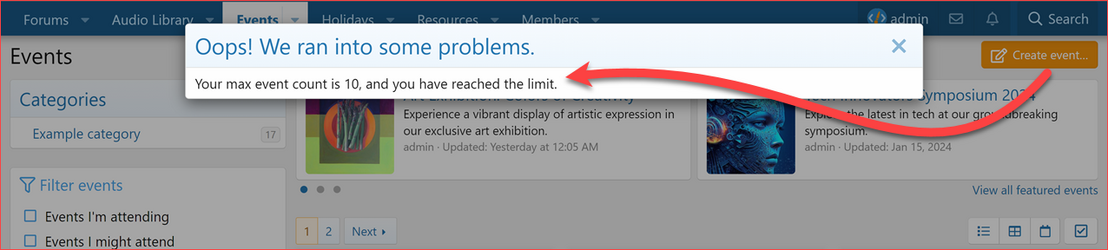 XenCustomize-Events-Manager-v123-Max-Events-Per-User-Error-Msg.png180.1 KB · Views: 754
 -
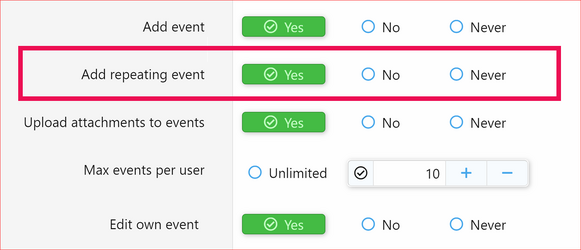 XenCustomize-Events-Manager-v123-Usergroup-Permission-Can-Add-Repeating-Event.png114.1 KB · Views: 770
 -
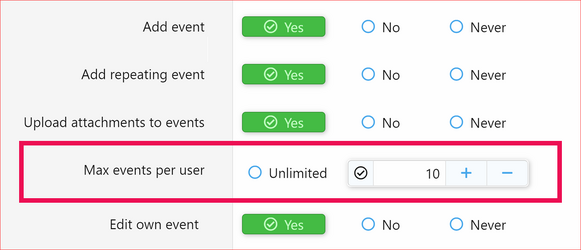 XenCustomize-Events-Manager-v123-Usergroup-Permission-Max-Events-Per-User.png114.2 KB · Views: 760
 -
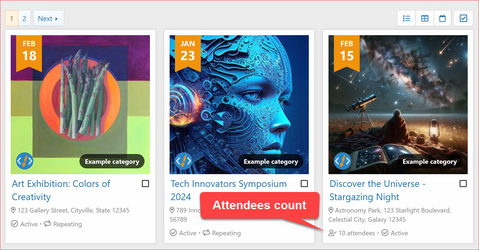 XenCustomize-Events-Manager-v123-EventGrid-Attendees.png796.3 KB · Views: 767
 -
 XenCustomize-Events-Manager-v123-EventList-Attendees.png138.6 KB · Views: 787
 -
 XenCustomize-Events-Manager-v123-EventGrid-Active-Status.png400.9 KB · Views: 771
 -
 XenCustomize-Events-Manager-v123-EventGrid-Repeating-Status.png402 KB · Views: 777
 -
 XenCustomize-Events-Manager-v123-EventList-Repeating-Status.png81.4 KB · Views: 773


