

We're thrilled to announce the 1.1.0 update on this special Christmas Day! 

Let's unwrap the features, improvements, and bug fixes that come with this release!
Improvements
 Added missing phrases: Enhanced language support and user interface consistency. (Report)
 Improved styling and made the user interface more consistent.
Bug Fixes
 Fixed InvalidArgumentException: : Resolved an issue where a null value conversion attempt was causing errors with event_type. Now ensures proper handling and default setting for this field. (Report by @KSA)

Thank you for being a part of the XenCustomize family. We wish you a joyous holiday season filled with warmth and happiness!
Stay tuned for more exciting updates in the future. Happy Holidays!

If you're loving the update, please consider leaving a rating and a brief review.


Let's unwrap the
features, improvements, and bug fixes that come with this release!  RSVP Functionality:
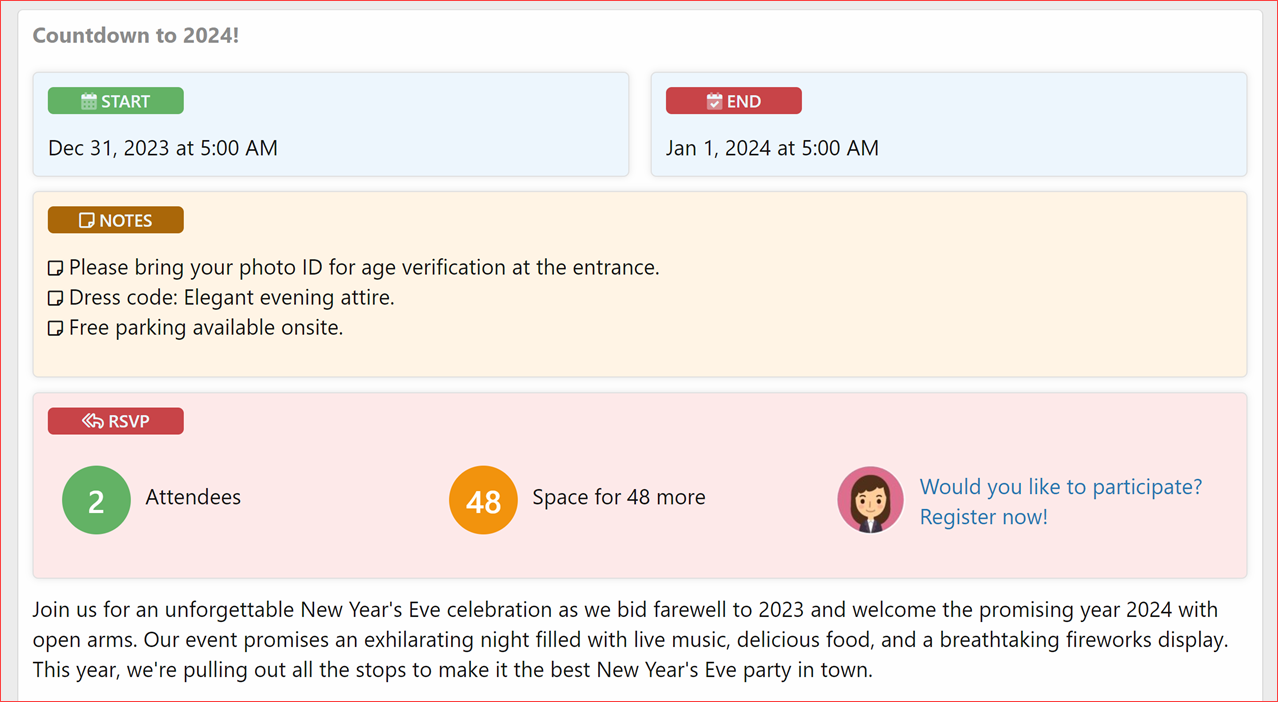
- RSVP Section: Now you can find it right under the event dates and notes for quick access.
 Quick RSVP: Just one click to register and make event planning smoother than ever!
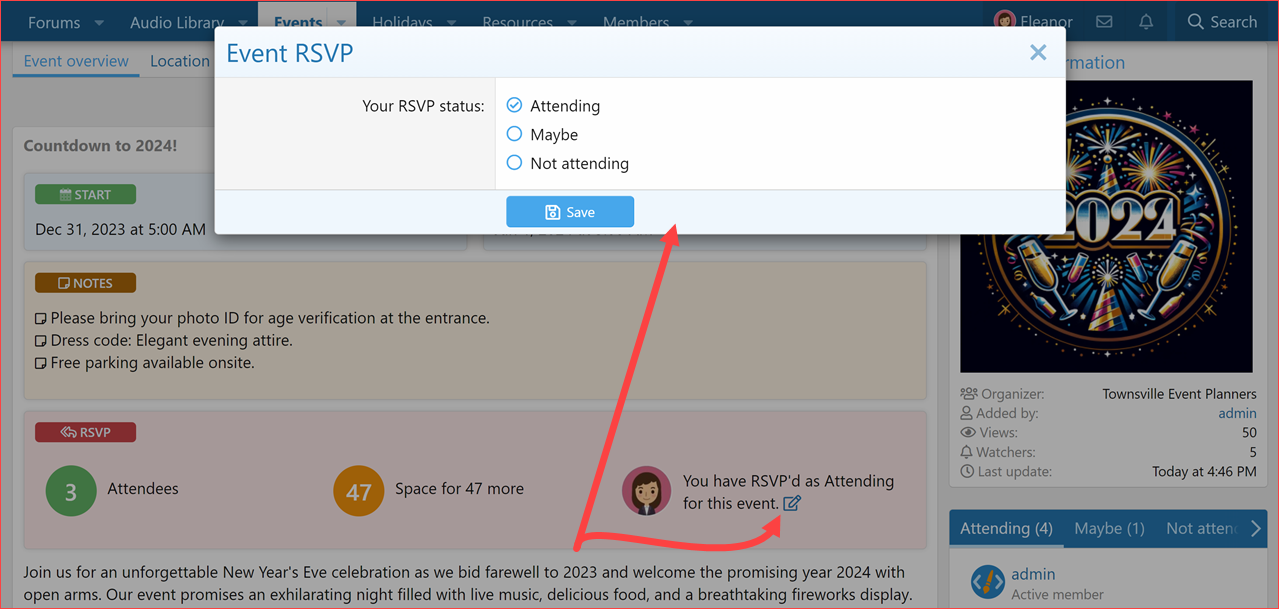
 RSVP Status: Indicate your participation easily with options like:
 Attending
 Maybe
Maybe Not Attending
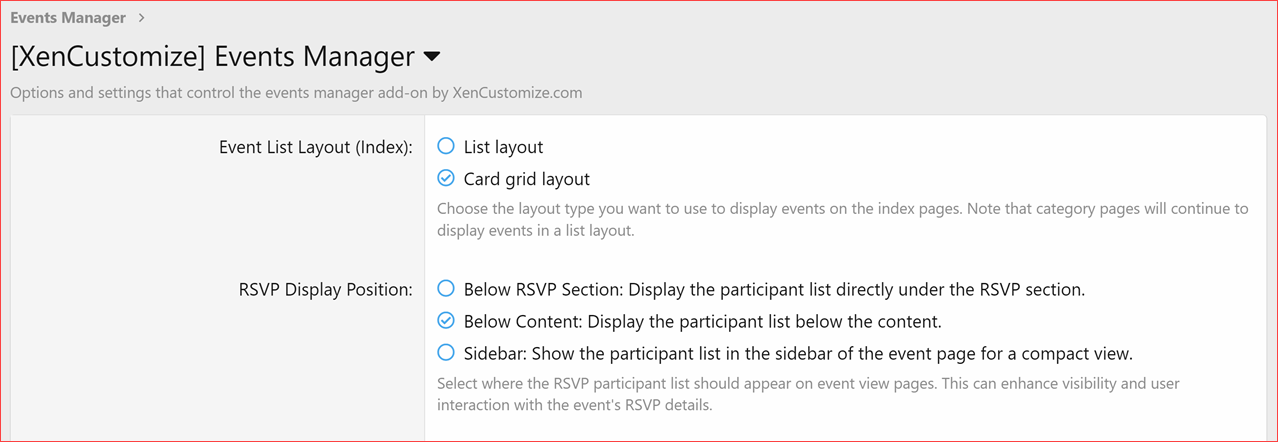
 RSVP Participants List: Choose where to display it:
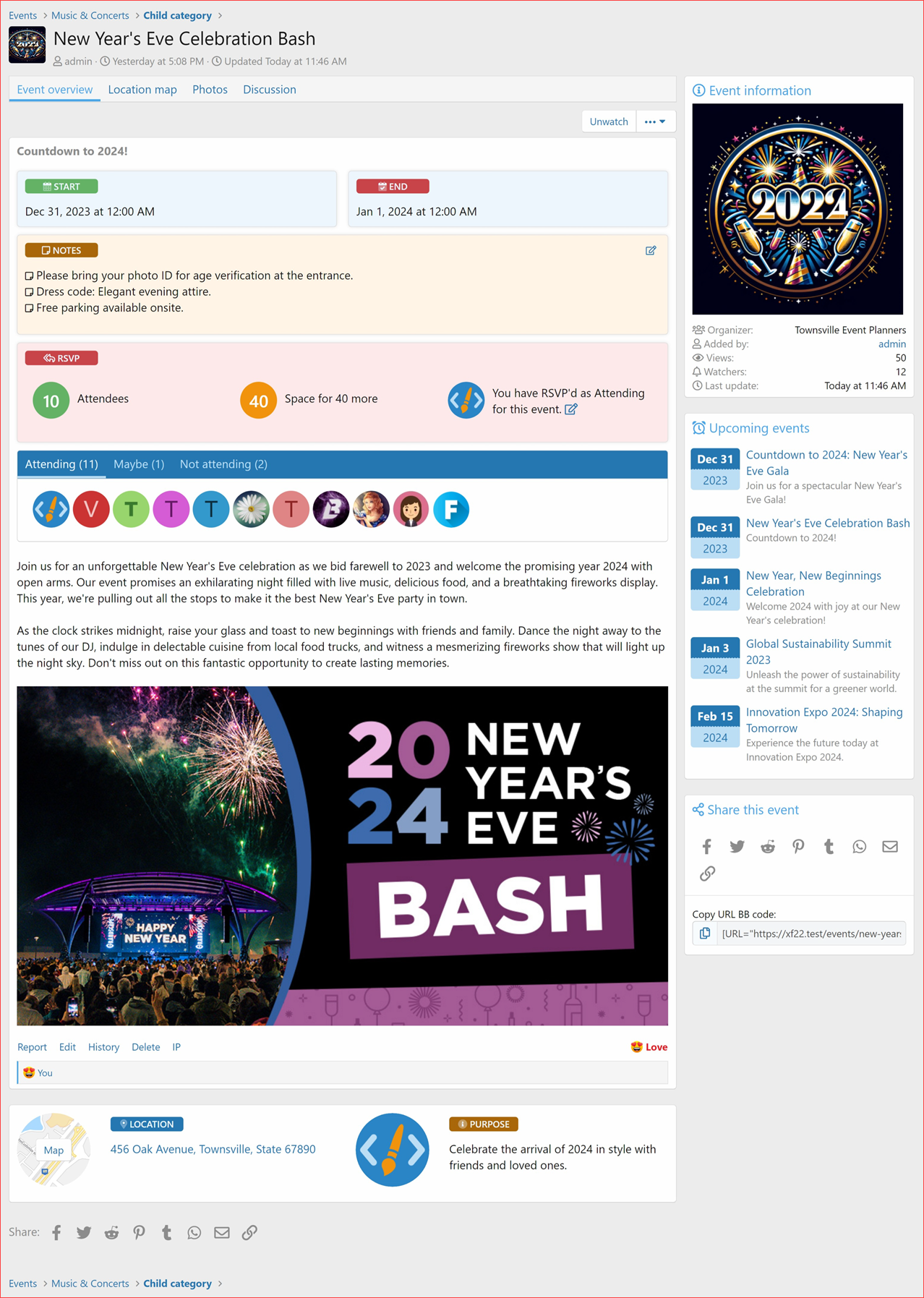
- Option to display it under the RSVP section for instant visibility.
- Option to display below the below the event content.
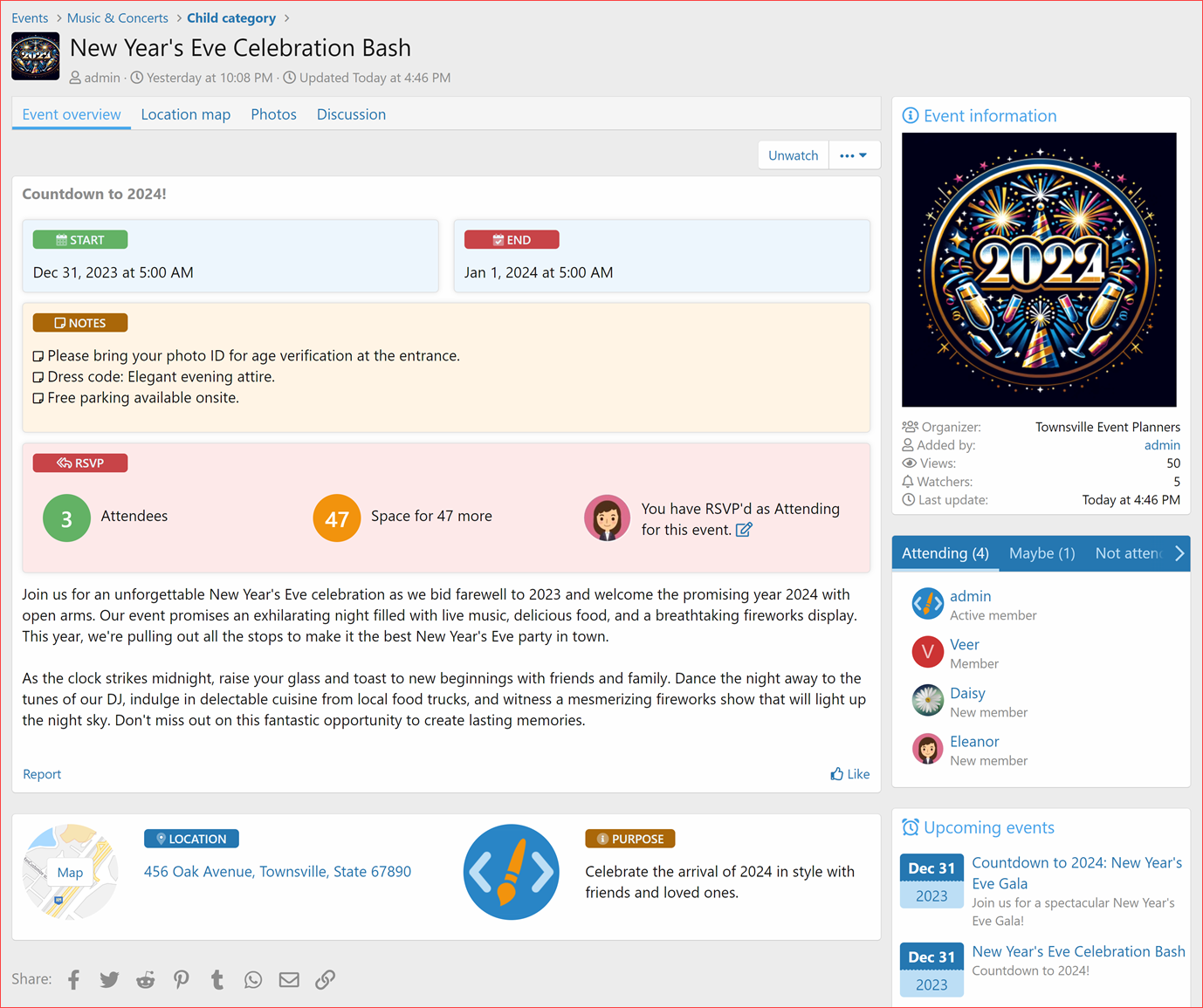
- Or display it in the sidebar of the event page for a neat view.
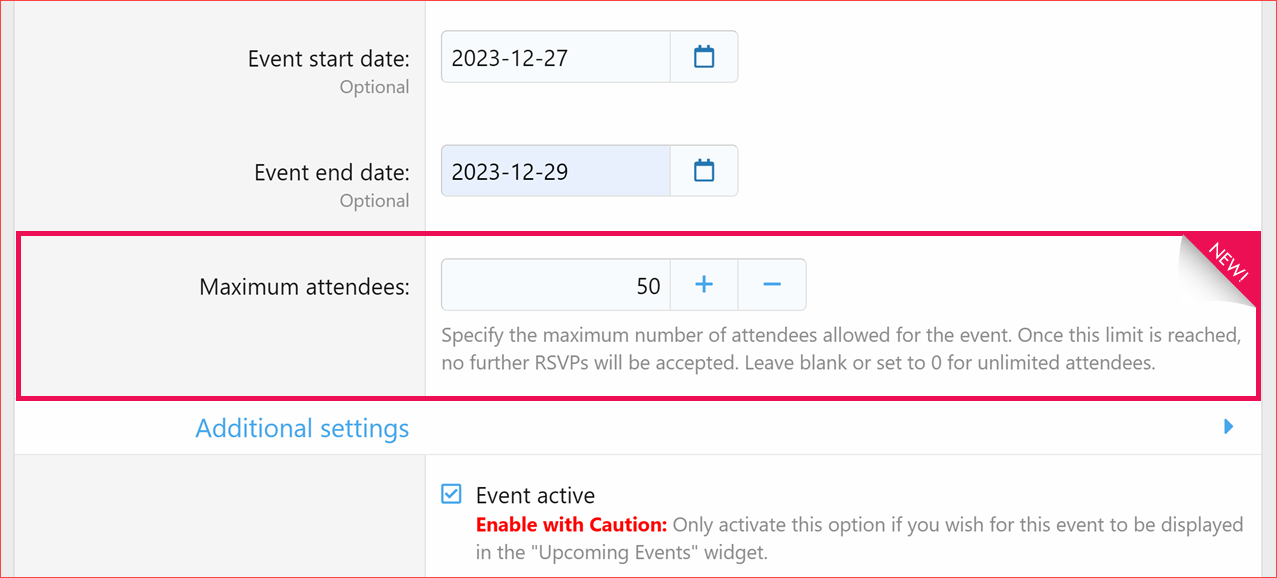
 Maximum Attendees: Control the number of event attendees by setting a limit. RSVPs automatically close once the limit is reached. You can even set it to 0 for unlimited attendees!
Improvements  :
:
Added missing phrases: Enhanced language support and user interface consistency. (Report) Improved styling and made the user interface more consistent.Bug Fixes  :
:
Fixed InvalidArgumentException: : Resolved an issue where a null value conversion attempt was causing errors with event_type. Now ensures proper handling and default setting for this field. (Report by @KSA)Options: RSVP Display Position
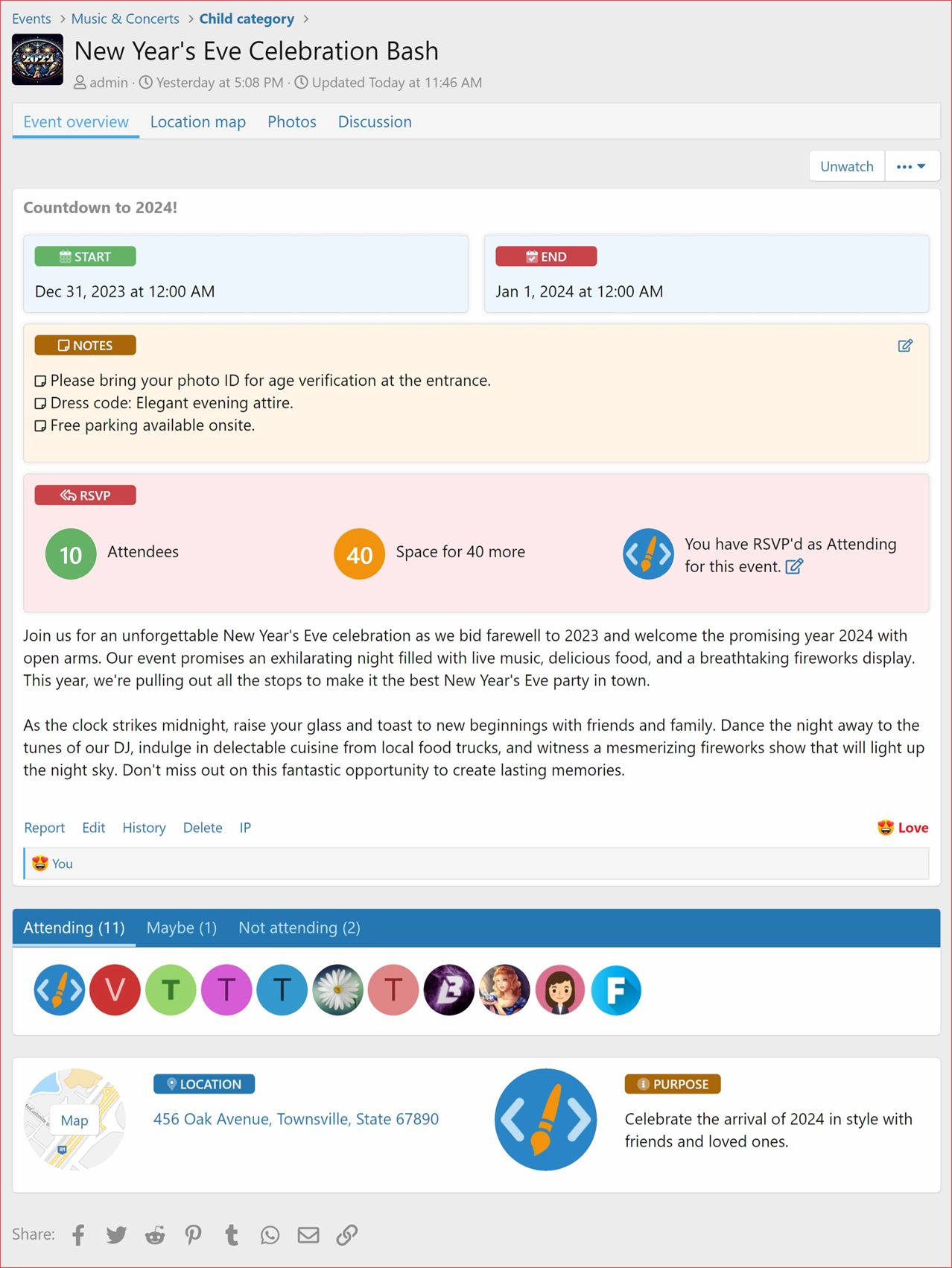
RSVP: Participants List Below Content
RSVP: Participants List in Sidebar
RSVP: Participants List Directly Under RSVP Section
RSVP Section: Logged in User view
RSVP Status
User clicks on Register to instantly register for event, and when edit this RSVP status window appears:
RSVP Section: Logged in Guest view
Clicking on the link opens up Login overlay
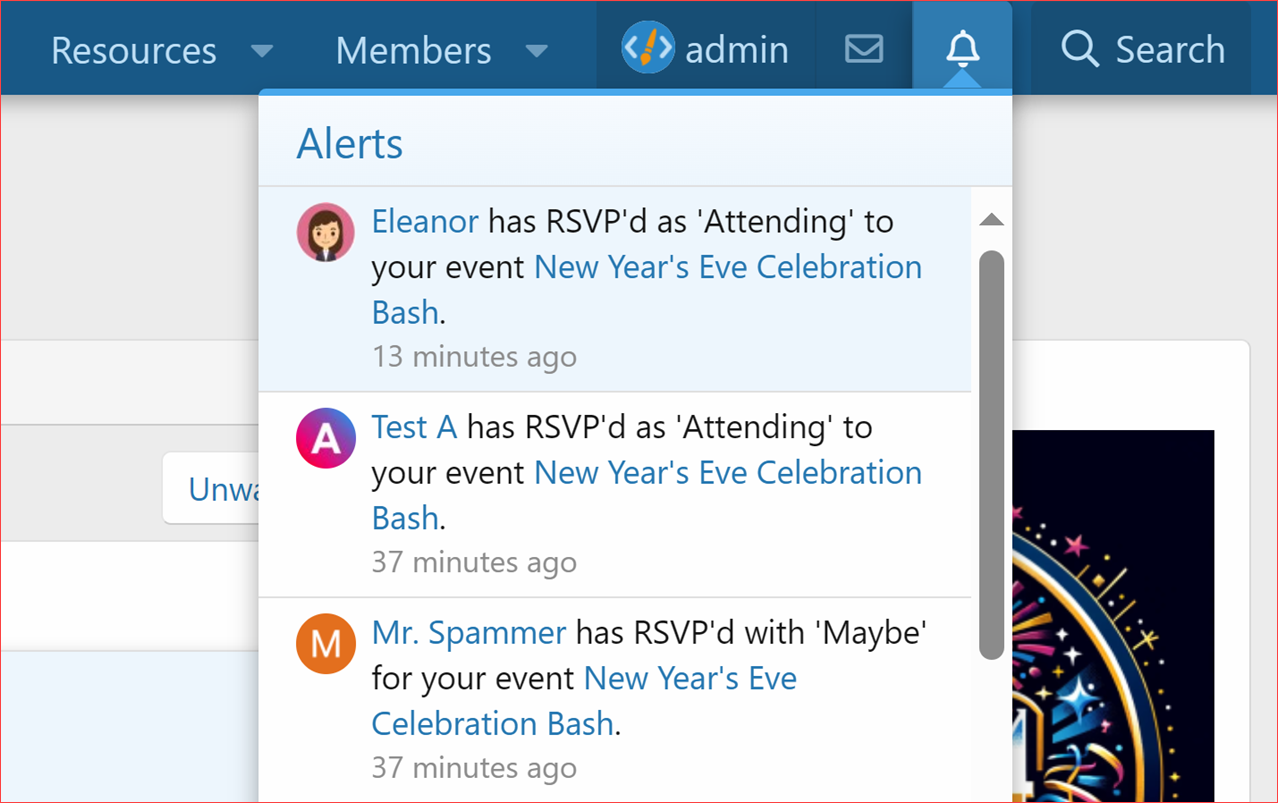
RSVP Alerts:
Organizer receives alerts
Organizer sets Max Attendees Limit
on event add/edit page / per event.
Upgrade Notes
- When upgrading please ensure that you the "Overwrite existing files for add-on rebuilds / upgrades" option. If uploading file using an FTP or file manager, you have to overwrite all files.
Thank you for being a part of the XenCustomize family. We wish you a joyous holiday season filled with warmth and happiness!
Stay tuned for more exciting updates in the future. Happy Holidays!
 Rate & Review
If you're loving the update, please consider leaving a rating and a brief review.


