
Limit Attachment Downloads - Product specifications
- Seller XenCustomize
- Creation date
Effortlessly set limits on post attachments by usergroup, complemented by user-friendly error pages & informative interfaces.
-
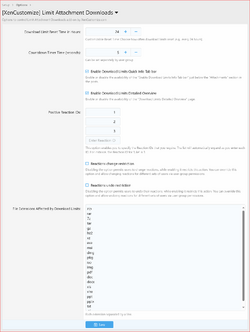 Limit-Attachment-Downloads-220-Admin-Options.png
 -
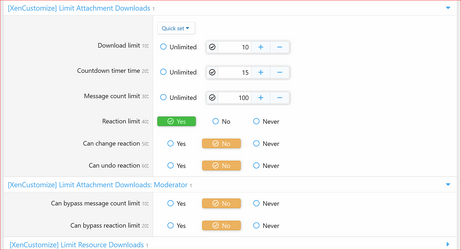 Limit-Attachment-Downloads-220-Usergroup-Permissions.png
 -
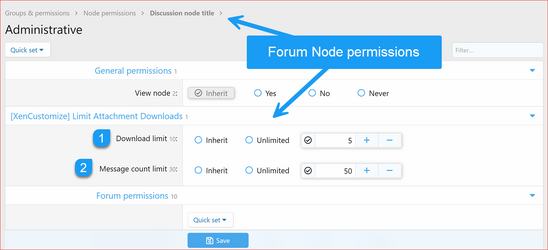 Limit-Attachment-Downloads-220-Forum-Node-Permissions.png
 -
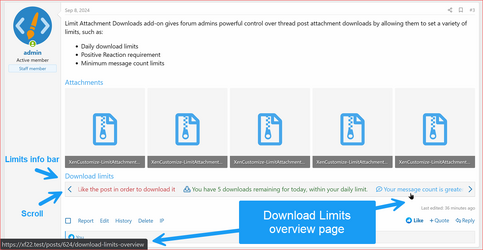 Limit-Attachment-Downloads-220-Download-Limits-Info-Bar.png
 -
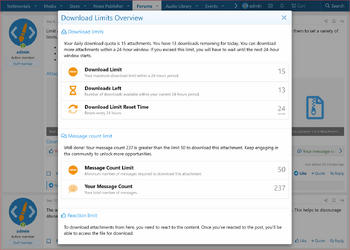 Limit-Attachment-Downloads-220-Download-Limits-Overview.png
 -
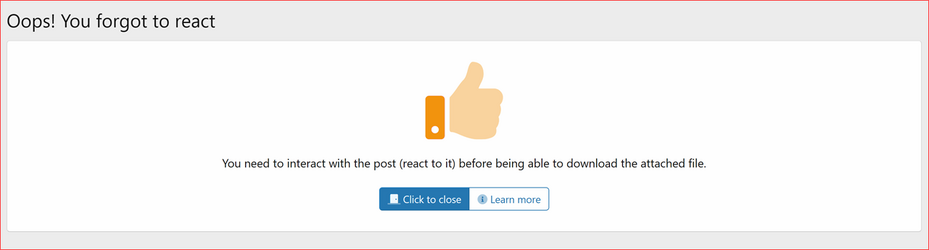 Limit-Attachment-Downloads-220-Oops-You-Forgot-to-React.png
 -
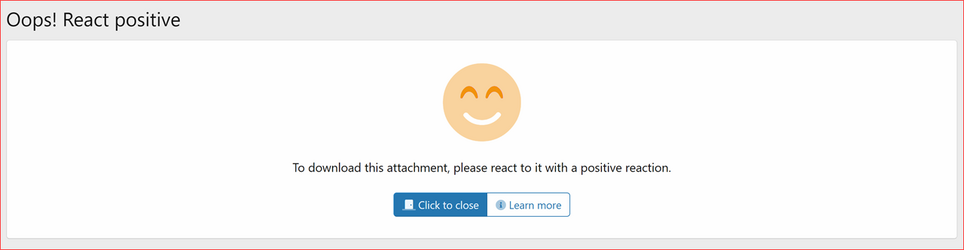 Limit-Attachment-Downloads-220-Oops-React-Positive.png
 -
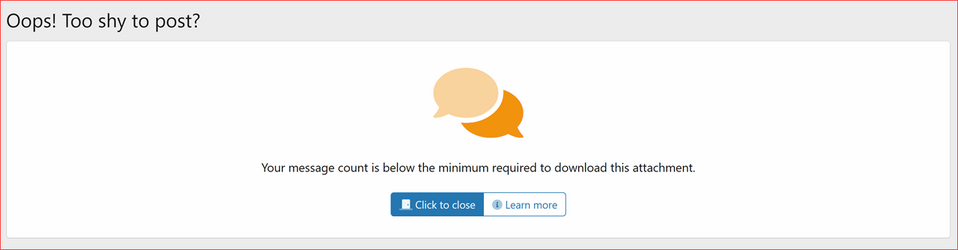 Limit-Attachment-Downloads-220-Oops-Too-shy-to-Post.png
 -
 Limit-Attachment-Downloads-220-Oops-Changing-Reaction.png
 -
 Limit-Attachment-Downloads-220-Oops-Undo-Reaction.png
 -
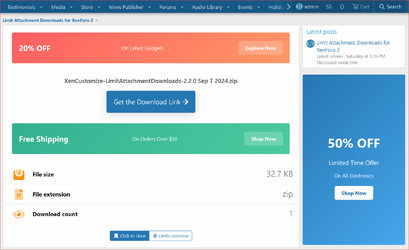 Limit-Attachment-Downloads-220-Get-the-Download-Link.png
 -
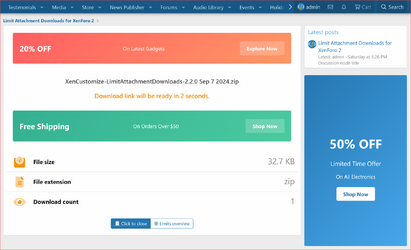 Limit-Attachment-Downloads-220-Download-Link-will-be-ready-in-x-second.png
 -
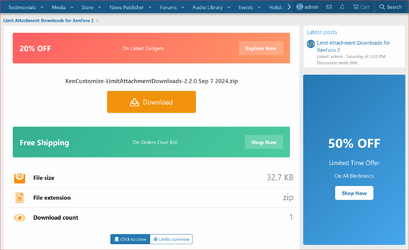 Limit-Attachment-Downloads-220-Download.png
 -
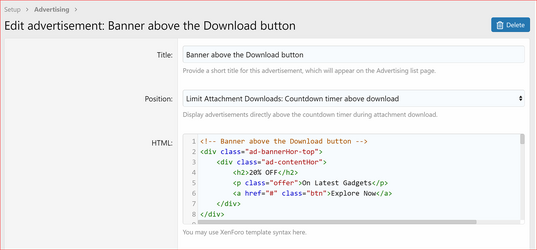 Limit-Attachment-Downloads-220-Advertising-Position-1.png
 -
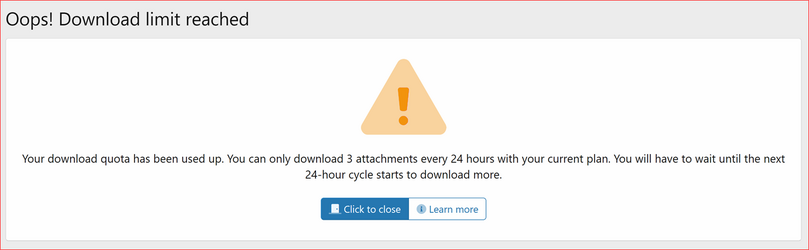 Limit-Attachment-Downloads-220-Oops-Download-Limit-Reached.png
 -
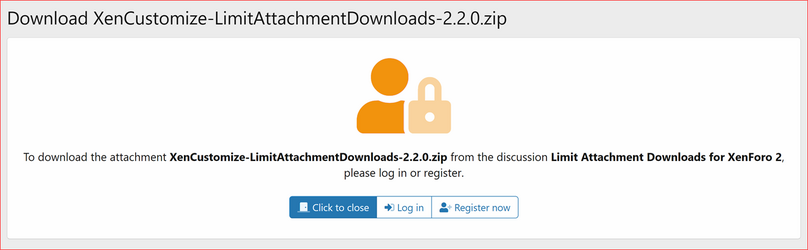 Limit-Attachment-Downloads-221-Oops-Guest-User-Error-Page.png
Overview Feature list Releases (6) Reviews (1)
- Implemented up to 8 new usergroup permissions for configuring download limits and bypass options.
- Download limit
- Countdown timer time
- Message count limit
- Can bypass message count limit
- Reaction limit
- Can bypass reaction limit
- Can change reaction
- Can undo reaction
- Implemented support for setting permissions in each Forum node.
- Download limit
- Message count limit
- Implemented the following types of limits:
- Customizable download limit/quota for a specified number of hours (default: 24 hours)
- Positive reaction limit to prevent attachment downloads without reacting to the post.
- Message count limit - admin-defined minimum messages required for each usergroup to access attachment downloads.
- Implemented the ability to bypass the above limits:
- Ability to set "Unlimited" in the download limit/quota to bypass download limits.
- "Can bypass reaction limit" permission to bypass reaction limits.
- "Unlimited" or "Can bypass message count limit" usergroup permission to bypass message count limits.
- Implemented Info Tabs Bar displaying a quick overview of the user's current download limits for the viewed post.
- Responsive Info Tabs Bar with scrolling, similar to Resource Tabs in standard XFRM.
- Option to enable/disable via admin settings (Enabled by default).
- Implemented a "Download Limits Overview" page offering a detailed overview of user-specific download limits for the accessed post.
- Detailed overview and various info messages in the download limit section based on scenarios:
- Download Limit
- Downloads Left
- Download Limit Reset Time
- Detailed info messages in the message count limit section based on scenarios:
- Message Count Limit
- User Message Count
- Detailed explanation of how the reaction limit is applied to the user in the reaction limit section.
- Detailed overview and various info messages in the download limit section based on scenarios:
- Implemented user-friendly error pages explaining and guiding users through download limits and restrictions:
- Reaction Limit Error Page with an Encouraging Title, Message, and Custom Buttons: "Click to Close" and "Learn More"
- Positive Reaction Limit Error Page with an Encouraging Title, Message, and Custom Buttons: "Click to Close" and "Learn More"
- Message Count Limit Error Page with an Encouraging Title, Message, and Custom Buttons: "Click to Close" and "Learn More"
- Implemented Admin options for customizable control:
- Download Limit Reset Time in Hours.
- Countdown Timer Time in Seconds.
- Enable Download Limits Quick Info Tab Bar.
- Enable Download Limits Detailed Overview Page.
- Positive Reaction IDs.
- Reactions Change Restriction.
- Reactions Undo Restriction.
- File Extensions Affected by Download Limits:
- Shipped the addon with a predefined list
- Compressed and Archive Formats:
- zip
- rar
- 7z
- tar
- gz
- bz2
- xz
- Executable and Installable Formats:
- exe (Windows executables)
- msi (Windows installer)
- dmg (Mac installer)
- pkg (Mac package installer)
- Disk Image Formats:
- iso
- img
- Document Formats:
- doc
- docx
- xls
- xlsx
- ppt
- pptx
- txt
- rtf
- Added custom classes and style properties for effortless customization of Info Tabs Bar and Download Limits Overview page:
- Info Tabs Bar
- Positive color
- Negative color
- Caution color
- Introduced a new download page that showcases:
- Countdown timer
- Attachment name
- Attachment size
- Attachment extension
- Attachment view count
- Multiple advertising positions:
- Display advertisement directly above the countdown timer during attachment download.
- Display advertisement directly beneath the countdown timer during attachment download.
- Sidebar widget position
- Click to Close button
- Limits overview button
- Implemented a download countdown timer before displaying the download button.
- Implemented pause the countdown timer when user switches to another tab.
- Admin option to set the default number of seconds that users should wait before initiating the download:
- Countdown Timer Time in Seconds.
- Added usergroup permission to customize “Countdown Timer Time” per usergroup, overriding the Admin CP option's default:
- Countdown timer time.
- Included a couple of XenForo native advertising positions for placing advertisements on the download countdown timer page:
- Limit Attachment Downloads: Countdown timer above download.
- Limit Attachment Downloads: Countdown timer below download.
- Added new widget position to place widgets in the sidebar position on the download countdown timer page:
- Limit Attachment Downloads: Countdown timer.
Supported Payment Methods
We support PayPal for instant purchases. Your order completes within minutes! For those without a PayPal account, you can pay using manual methods such as Western Union, Payoneer, and Bank Transfer.


Manual payments take more time. Please register an account, add products to your shopping cart, and start a private ticket with us for further instructions.